
Blog
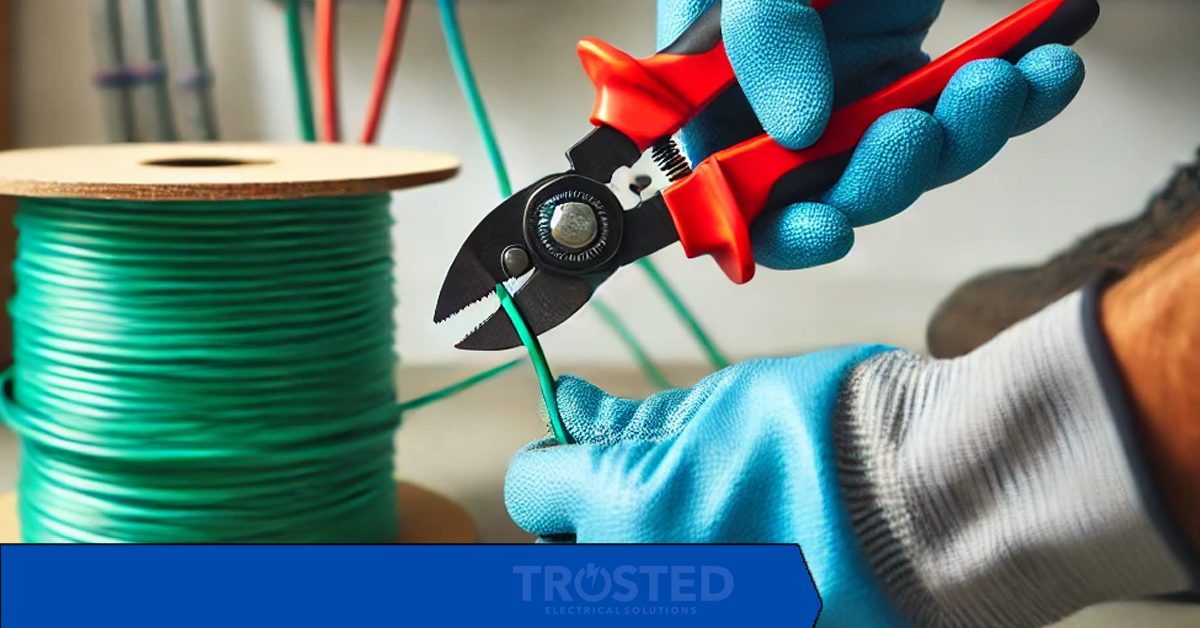
GFCI Outlets vs Home Rewiring: Which is Right for Miami Homes?
03 Jul, 2026
312
Info
For most Miami homes, GFCI outlets are the right first step: they stop electrical shocks in wet areas for a fraction of what rewiring costs. Full rewiring is the answer when the wiring itself is the problem — pre-1980s aluminum wiring, frequent breaker trips, flickering lights, or scorch marks around outlets. The choice comes down to one question: is the problem at the outlet, or behind the wall?
The fork: two very different jobs
A GFCI outlet and a rewiring solve different problems. A GFCI (Ground Fault Circuit Interrupter) watches the current going out and coming back, and cuts power in a fraction of a second if even a small amount leaks — the kind of leak that happens when water and electricity meet. Rewiring replaces the wires, circuits, and often the panel behind your walls. One is protection at the point of use; the other is a new electrical system.
Path one: GFCI outlets
GFCI protection belongs anywhere water and electricity are near each other: kitchens, bathrooms, laundry areas, garages, and outdoor outlets. In Miami, where heavy rain and humidity are part of daily life, that protection matters more than it does in a dry climate. Installing GFCI outlets is quick and cost-effective compared with rewiring, and local codes already require them in wet areas — so for a home with sound wiring, adding GFCI protection is usually the whole job.
Protection from shock: a GFCI cuts the circuit the moment it detects an imbalance, before a shock becomes serious.
Affordable installation: a day's work, not a weeks-long project.
Code compliance: the Florida Building Code and Miami-Dade County amendments require GFCI protection in wet locations.
Path two: home rewiring
Rewiring is the fix when the wiring itself is failing. Homes built before the 1980s often still have aluminum wiring, which is more prone to overheating at connections than modern copper. The warning signs are hard to miss once you know them: a breaker that trips again and again, lights that flicker when an appliance starts, scorch marks or a burning smell near outlets, and buzzing from the panel. Miami's salt air and humidity accelerate the wear on old wiring, so these signs show up earlier here than they would inland.
Increased safety: new wiring removes the overheating and fire risk that old wiring carries.
A modernized system: rewiring lets the house safely run today's appliances, air conditioning, and electronics.
A long-term investment: it costs more up front, but it ends the cycle of repeated repairs and emergency calls.
The decision test: four questions
Answer these honestly and the fork resolves itself. How old is the wiring — over 30 years, or aluminum? Are there warning signs like flickering, tripping, or scorch marks? Is the problem in one room or all over the house? And is this a quick safety upgrade or a house you plan to keep for decades? Sound wiring plus wet-area risk points to GFCI outlets. Old wiring plus warning signs points to rewiring — and no outlet upgrade fixes failing wire.
A professional inspection settles it
When the answer is not obvious, an inspection is cheaper than a wrong guess. A licensed electrician can test the wiring, check the panel's capacity, and tell you whether GFCI protection is enough or the house needs new wire — before you spend money on either.
Quick FAQ
Do GFCI outlets replace rewiring?
No. A GFCI outlet protects you from shock at that outlet; it does nothing for deteriorating wire inside the walls. If the wiring is the problem, only rewiring fixes it.
Does my whole house need rewiring if one circuit is bad?
Not always. A single bad circuit can often be repaired or replaced on its own. Whole-house rewiring is for homes where the wiring is old or failing throughout.
How do I know if my home has aluminum wiring?
Homes built before the 1980s are the likeliest candidates. An electrician can confirm it with a panel inspection — aluminum wire is silver-gray, stiffer than copper, and often marked "AL."
Call Trusted Electrical Solutions at 786-342-9582 or visit www.trustedelectricalsolutions.com to schedule a free inspection and quote.
---
 Jose Luis Rey

Prepare Your Smart Home Wiring for Hurricane Season in Miami
02 Jul, 2026
302
Info
Rehearse the outage before the storm: run your smart home on its backup plan, check every device, panel, and connection, and confirm you can cut power safely — while the weather is still fine. Hurricane season runs June 1 through November 30, and a rehearsal in May beats a discovery in August.
Act one: the devices
Examine your smart devices first: thermostats, lights, and security systems should all be in good working condition and securely connected to the home's wiring. Look for frayed cords, loose connections, and any sign of wear, and fix what you find before the storm — not during it. Invest in surge protectors for the devices that matter most: lightning strikes during storms cause the surges that kill smart equipment. And remember that smart systems rely on internet connectivity, so plan backup power for your Wi-Fi if you want the system to keep working through an outage.
Act two: the panel
The electrical panel is the most critical component in this rehearsal. Inspect it for rust or corrosion, which Miami's salty air accelerates — a corroded panel is a panel that may not hold up when the storm asks the most of it. Check that circuit breakers function correctly: a tripped breaker can signal an overloaded circuit, which is hazardous precisely when you need the system reliable. If anything looks concerning, consult an electrician before hurricane season opens.
Act three: the wiring
Secure outdoor wiring against high winds: loose wires are easily damaged in a storm and can create dangerous situations. Use weatherproof conduit and fittings for outdoor installations, especially where saltwater exposure accelerates corrosion. Indoors, confirm the wiring is up to code — an older home may not have been updated to current building codes, and that gap is a risk during severe weather. Where flooding is possible, make sure outlets and wiring are elevated or waterproofed to prevent short circuits.
The emergency plan
A solid emergency plan makes the difference if a hurricane strikes. Consider a generator to keep essential systems running, and know how to connect it safely to your home's electrical system. Tell the whole family where the circuit breakers are and how to cut off power in an emergency. And know where to get outage updates — the utility publishes restoration information during storms, and knowing who to contact saves time and stress when the power is out.
After the storm
Once the storm passes, check your smart home wiring and electrical systems thoroughly. Look for water damage or burnt outlets; if you find anything concerning, call for a professional inspection before using the system again. Many smart devices need to be reset after a power outage, so check each one and confirm it is back online — a device that looks fine but never reconnected is a device that is not protecting you.
Quick FAQ
Will my smart home work without internet?
Mostly, no — remote control and automations need the network. Basic functions, like a light switch or a thermostat holding its setting, still work locally. That is why backup power for the Wi-Fi is part of the plan.
Should I unplug smart devices before a storm?
Unplug the non-essentials, and leave the essentials on surge-protected circuits. A whole-home surge protector at the panel plus strips at sensitive devices is the combination that covers a home.
What if water reaches an outlet?
Do not touch it. Cut power at the breaker if you can do so safely from dry ground, stay out of standing water near outlets, and call an electrician before using that circuit again.
Call Trusted Electrical Solutions at 786-342-9582 or visit www.trustedelectricalsolutions.com to book a pre-storm smart home wiring check.
Jose Luis Rey

Troubleshooting Electrical Inspections in Miami: Know When to Act
01 Jul, 2026
321
Info
Your house tells you when an inspection is due — flickering lights, breakers that trip for no clear reason, warm outlets, buzzing, or a burning smell. The last three mean call an electrician now; the first two mean book the inspection this week. Small electrical faults in a humid climate do not stay small, and an inspection is how you hear the warning before it becomes a repair.
What the flicker says
Lights that flicker regularly usually mean a loose connection or an overloaded circuit. A single flickering fixture is often local — a bulb, a switch, a connection. Flickering across rooms is systemic, and that is an inspection, not a bulb change.
What the tripping breaker says
A circuit breaker that trips often is reporting a serious issue with the electrical system. Do not just reset it and move on: repeated trips mean the circuit is overloaded or something in it is failing. Note which breaker trips and what was running when it did — that detail is the first thing an electrician will ask for.
What the smell and the heat say
A burning smell or discoloration around outlets or switches signals overheating and a potential fire hazard. Outlets or switches that feel warm to the touch mean overloaded circuits or faulty wiring. Both are call-now symptoms. Turn off the affected circuit if you can do so safely, and do not use the outlet until it has been checked.
What the buzz says
Buzzing sounds or outlets that run hot are the same message in a different voice: something in the wiring is not right. Buzzing from a panel, an outlet, or a switch deserves the same urgency as a burning smell — it is the system telling you, out loud, that it needs attention.
The proactive inspection
Rather than waiting for problems to escalate, schedule regular electrical inspections. Know your home's wiring: homes built before the mid-20th century can carry outdated wiring that does not handle modern loads. Check that any work done complies with local codes — the Florida Building Code and Miami-Dade County amendments set the standard, and the utility's service rules cover the connection, not the code. And schedule maintenance the way you would for a car: a qualified electrician keeps the system safe, and catches the small faults before they grow.
Practical fixes that help now
Install surge protectors to guard appliances and electronics from storm-season surges. If the wiring is outdated, consider an upgrade — older homes are the ones most likely to still carry original wiring. Put GFCI outlets in wet areas like kitchens and bathrooms, where they protect against electrical shock. And test your smoke detectors regularly, since older wiring carries a higher fire risk and the detectors are the early warning.
Quick FAQ
How often should I schedule an electrical inspection?
Every few years for most homes, and sooner after a renovation, a move into an older home, or any of the warning signs above. Humid, coastal conditions argue for the shorter interval.
What does an electrical inspection cover?
The panel, the wiring, outlets and switches, grounding, and the overall condition of the system — plus whether the work complies with current local codes.
Will an inspection mean I have to rewire my home?
Not necessarily. Most inspections find small, fixable issues. Rewiring enters the picture only when the wiring itself is outdated or unsafe.
Call Trusted Electrical Solutions at 786-342-9582 or visit www.trustedelectricalsolutions.com to schedule an electrical inspection.
---
Jose Luis Rey

The Truth About Thermostats: What Miami Homeowners Need to Know
30 Jun, 2026
326
Info
A thermostat that reads two degrees off is usually telling you about humidity, dust, or age — not about the air conditioner. Clean it, check the wiring, and compare its reading against a separate thermometer; if the gap survives that, the unit itself is the suspect, and a replacement pays for itself in comfort and efficiency.
Clue one: the reading is off
In Miami's humidity, moisture buildup can interfere with a thermostat's accuracy — and salt air corrodes its components over time, especially in homes near the coast. If your thermostat is frequently off by a few degrees, check for humidity-related issues first: dust around the unit, a location in direct sunlight or near a draft, and connections that have loosened or corroded. The thermostat is the brain of your heating and cooling system, and a brain getting bad data makes bad decisions.
Clue two: the rooms disagree
When different rooms feel significantly warmer or cooler, the thermostat may not be working properly — or the problem may be the system it controls. Inconsistent temperatures are one of the clearest signs that something needs attention: a failing sensor, a wiring fault, or a unit that can no longer read the house it serves. Do not adjust the setting to compensate; find the cause.
Clue three: the unit is old or manual
If your thermostat is more than ten years old, it is worth looking at newer models. Manual controls offer the least precision, and an outdated thermostat can quietly cost money every month while making the house less comfortable. Age plus inaccuracy is a verdict, not a suspicion.
Choosing the replacement
Smart thermostats, such as Nest or Ecobee, learn your habits and can be controlled remotely from a phone — a genuine selling point for tech-savvy buyers. Programmable models let you set heating and cooling schedules that fit your life, which suits a climate where the weather shifts through the year. Manual thermostats are still the budget option, and for a simple setup they remain perfectly serviceable.
The installation
A new thermostat installation must comply with local building codes, and some areas have specific energy-efficiency requirements to meet. A licensed electrician who knows those requirements handles the installation and confirms the wiring — including whether your system has the wiring a smart model needs — before the new unit goes on the wall.
Maintenance that keeps it honest
Dust around the thermostat regularly: buildup affects its readings. Check that wiring connections are tight and free of corrosion. Test the settings through the year to confirm the unit responds correctly. These are small habits, and they are what keep a thermostat accurate instead of merely present.
The selling point
When selling a home, a new thermostat is a real asset: it improves comfort and showcases the home's energy efficiency, which many buyers look for. A modern, smart thermostat tells a buyer the home's systems have been cared for — and that impression starts before the first room is even seen.
Quick FAQ
Why is my thermostat off by a few degrees?
Usually humidity, dust, or corrosion affecting the sensor — or the unit's age. Clean it, check the connections, and compare against a separate thermometer before replacing it.
Do smart thermostats need special wiring?
Some do: many models need a C-wire for constant power, and older systems may not have one. Check the model's requirements against your system, and have an electrician confirm if you are unsure.
How long should a thermostat last?
About ten years for most models. Past that, accuracy drifts and replacement is usually the better investment than repair.
Call Trusted Electrical Solutions at 786-342-9582 or visit www.trustedelectricalsolutions.com to schedule a thermostat check or upgrade.
---
Jose Luis Rey

Your Ultimate Guide to Home Automation in Miami
29 Jun, 2026
337
Info
Home automation works when your devices, your wiring, and your Wi-Fi all speak the same language — and the real test is whether they still work together a month after installation. Start with lighting and security, check compatibility before you buy anything, and have the wiring verified first, because automation layered on aging wiring is where most smart-home headaches begin.
The handshake: compatibility
A home automation system is a set of interconnected devices managed remotely — smart lights, thermostats, security cameras, and alarms. Before buying, check that the devices can connect to each other: popular platforms include Amazon Alexa, Google Home, and Apple HomeKit, and a device outside your platform is a device that will not answer. Choose a system that starts small and scales, so you can begin with smart lighting and add security cameras and thermostats later without starting over.
The wiring underneath
Automation needs a solid electrical foundation. Many older homes still carry wiring that was never designed for today's connected devices, and upgrading the electrical system is what makes automation reliable rather than frustrating. A licensed electrician checks the wiring, confirms the panel can carry the added load, and makes sure the installation complies with local electrical codes — this is the step do-it-yourself installs skip, and the step that causes most failures.
The climate test
Miami's heat and humidity are part of the specification, not an afterthought. Salt air corrodes electrical devices over time, so choose automation products rated for coastal conditions. Energy use and savings are affected by the utility's service rules for smart technologies — the building code sets the safety standard, the utility sets the service terms, and both are worth understanding before you invest.
The three first automations
Start with lighting: smart lights that adjust by time of day or occupancy, and that you can control from anywhere. Add the thermostat next: one that learns your schedule and keeps the home cool when you return, cutting energy costs in the process. Then security: cameras and alarms that give peace of mind and that tie into the same system as the lights. Three automations, one platform, and the house starts working as a system instead of a collection of gadgets.
Warning signs the system is struggling
Flickering lights can mean overloaded circuits or faulty wiring. Smart devices that disconnect often point to wiring problems or signal interference. A burning smell or unusual heat from any device is a red flag — turn the device off immediately and call an electrician. None of these are software problems; they are electrical problems wearing a smart-home costume.
Keeping it running
Like any electrical system, home automation needs regular check-ups. Schedule periodic inspections so small issues — a loose connection, a device drifting off the network — are caught while they are still small. A system that is maintained stays a convenience; a system that is ignored becomes a chore.
Quick FAQ
Do I need to rewire my home for automation?
Not always, but the wiring must be verified first. If it is sound, devices can be added as-is; if it is outdated, an upgrade comes before the gadgets.
What happens to my smart home if the Wi-Fi goes down?
Most devices fall back to manual control — lights still switch, thermostats still hold their setting. The remote control and automations pause until the network returns, which is why the wiring underneath matters more than the app on top.
Can I add devices later, or do I have to buy everything at once?
Later is the right way. Start with one platform, add devices as you need them, and keep everything on the same system so the handshake keeps working.
Call Trusted Electrical Solutions at 786-342-9582 or visit www.trustedelectricalsolutions.com to plan your home automation setup.
---
Jose Luis Rey
Tag Group
Recent Posts


About Author

Our Trusted Electrical Solutions takes great pride in delivering the best electrical services to our customers. We strive to ensure that each customer is satisfied with their experience.
If you are looking for an electrician, we encourage you to give us a call.
We look forward to helping you with all your electrical needs.

Quick Links
Business Hours
Mon - Sunday
24 Hours
Copyright © Trusted Electrical Solutions · Admin Login
Request a service